"Work with a trusted X Official Enterprise Developer to expand what's possible for your business. Each Official Enterprise Developer has been selected for the program after an extensive evaluation, and represents excellence, value, and trust." — X (Twitter)
Effortlessly download Twitter Spaces online with Circleboom! This powerful tool lets you to save high-quality audio directly to your device with just one click. Perfect for content creators and marketers, Circleboom’s downloader simplifies your content strategy by providing seamless access to and archiving of Twitter Spaces.
DOWNLOAD RECORDED TWITTER SPACES
Do you need to download recorded Twitter Spaces with Circleboom? This seamless tool lets you save high-quality audio from recorded Twitter Spaces directly to your device with a single click. Ideal for content creators, marketers, and anyone wanting to archive valuable audio content, Circleboom simplifies the process and ensures you never miss important conversations.
TWITTER PRIVATE SPACES DOWNLOADER
This intuitive tool enables you to securely save audio from private Twitter Spaces directly to your device. Ideal for content creators, social media managers, and businesses, Circleboom ensures you maintain access to valuable discussions and insights shared in private Spaces.
DOWNLOAD HIGH-QUALITY TWITTER SPACES!
Download high-quality Twitter Spaces with Circleboom's robust downloader tool. Ensure you capture and save your favorite discussions, interviews, and audio content from Twitter Spaces in pristine quality. Perfect for content creators, marketers, and avid listeners, Circleboom provides a seamless and efficient solution for preserving Twitter Spaces audio files directly to your device.
DOWNLOAD TWITTER SPACES IN A CLICK!
Easily download Twitter Spaces with one click using Circleboom! This user-friendly tool lets you save high-quality audio directly to your device, ensuring you never miss out on important discussions. Ideal for content creators and marketers, Circleboom’s downloader streamlines your content strategy by enabling seamless access to and archiving of Twitter Spaces. Enhance your engagement and online presence effortlessly with Circleboom.
SAVE TWITTER SPACES ON YOUR COMPUTER
Quickly save Twitter Spaces on your computer with Circleboom! Our intuitive tool allows you to download high-quality audio from Twitter Spaces directly to your device with just one click. Perfect for content creators and marketers, Circleboom's downloader simplifies your content management by providing easy access and storage for Twitter Spaces.
DOWNLOAD TWITTER SPACE AUDIO
This user-friendly tool lets you save high-quality audio from Twitter Spaces directly to your device. Perfect for podcasters, content creators, and social media managers, Circleboom ensures you never miss out on valuable audio content.
DOWNLOAD MULTIPLE TWITTER SPACES
Download multiple Twitter Spaces with Circleboom's multi-download feature. This efficient tool makes it possible to quickly and seamlessly save several Twitter Spaces audio files at once directly to your device. Perfect for content creators, marketers, and avid Twitter users, Circleboom ensures a streamlined process for managing and preserving your favorite Twitter Spaces discussions.
YOU'RE SAFE WITH CIRCLEBOOM
It's easy and fast to save Twitter Spaces with the Circleboom Twitter Spaces downloader. As a Twitter account management tool, Circleboom is always in compliance with Twitter's policies; you can use the Circleboom Twitter Spaces Downloader without any safety concerns.
CIRCLEBOOM TWITTER SPACES DOWNLOADER
Follow these steps to download high-quality Twitter Spaces on Circleboom:
1
01
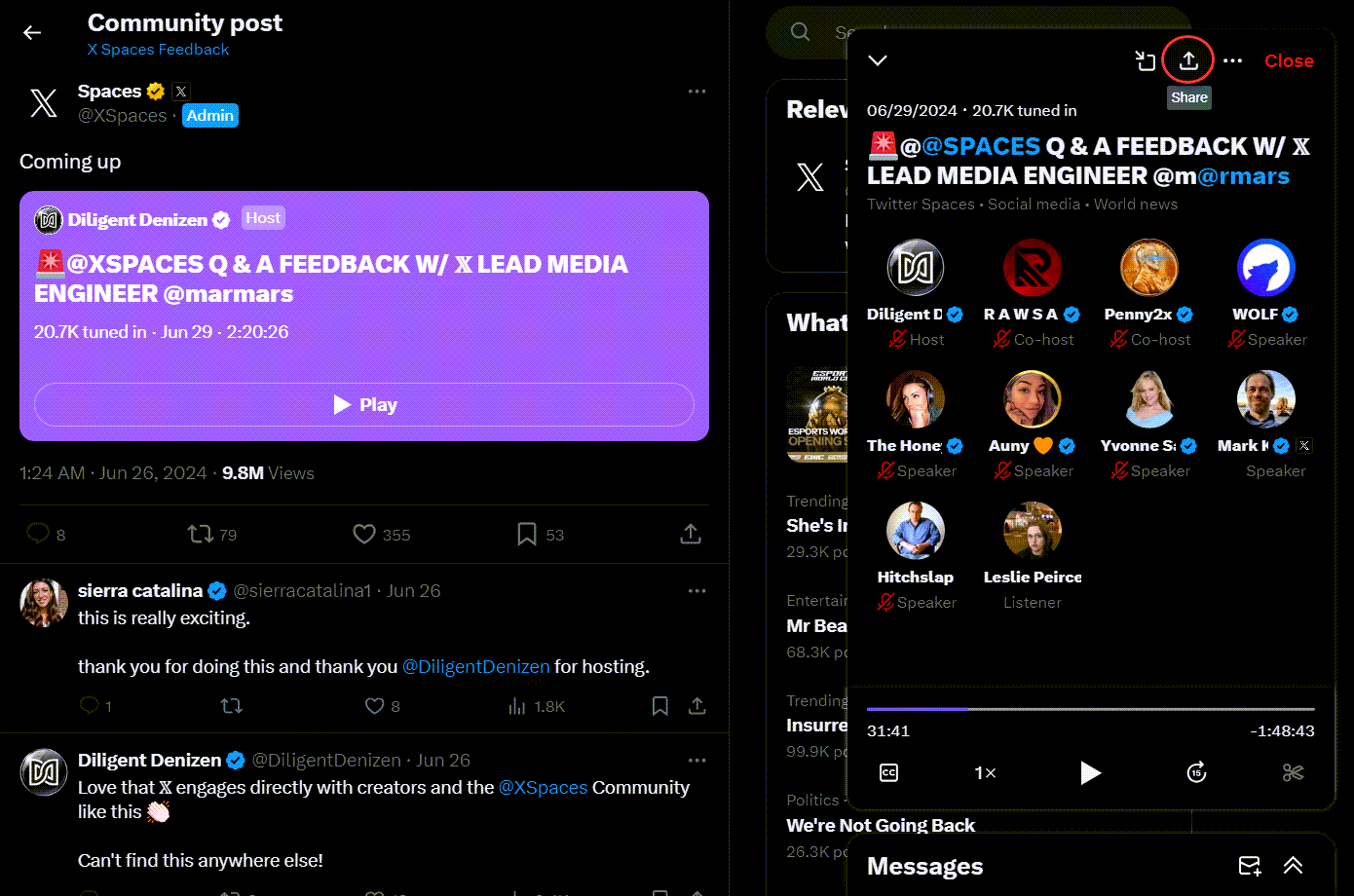
Find and copy the link of the Twitter (X) Spaces that you want to download.
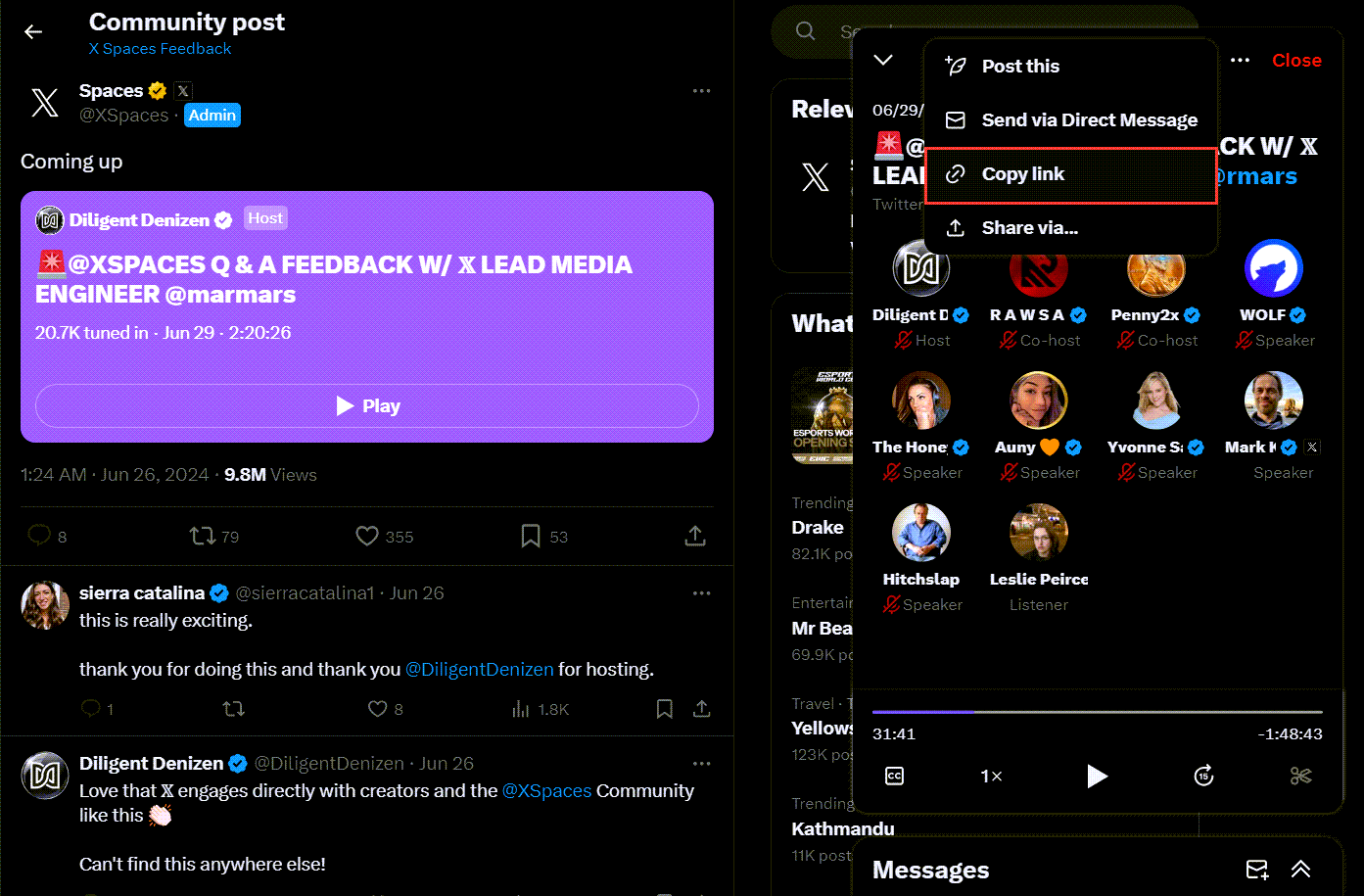
You should click on the "Share" button under the audio tweet and copy the link.
Then, copy the share link of this audio tweet. Go to Circleboom's Twitter Spaces Downloader and paste it.
2
02
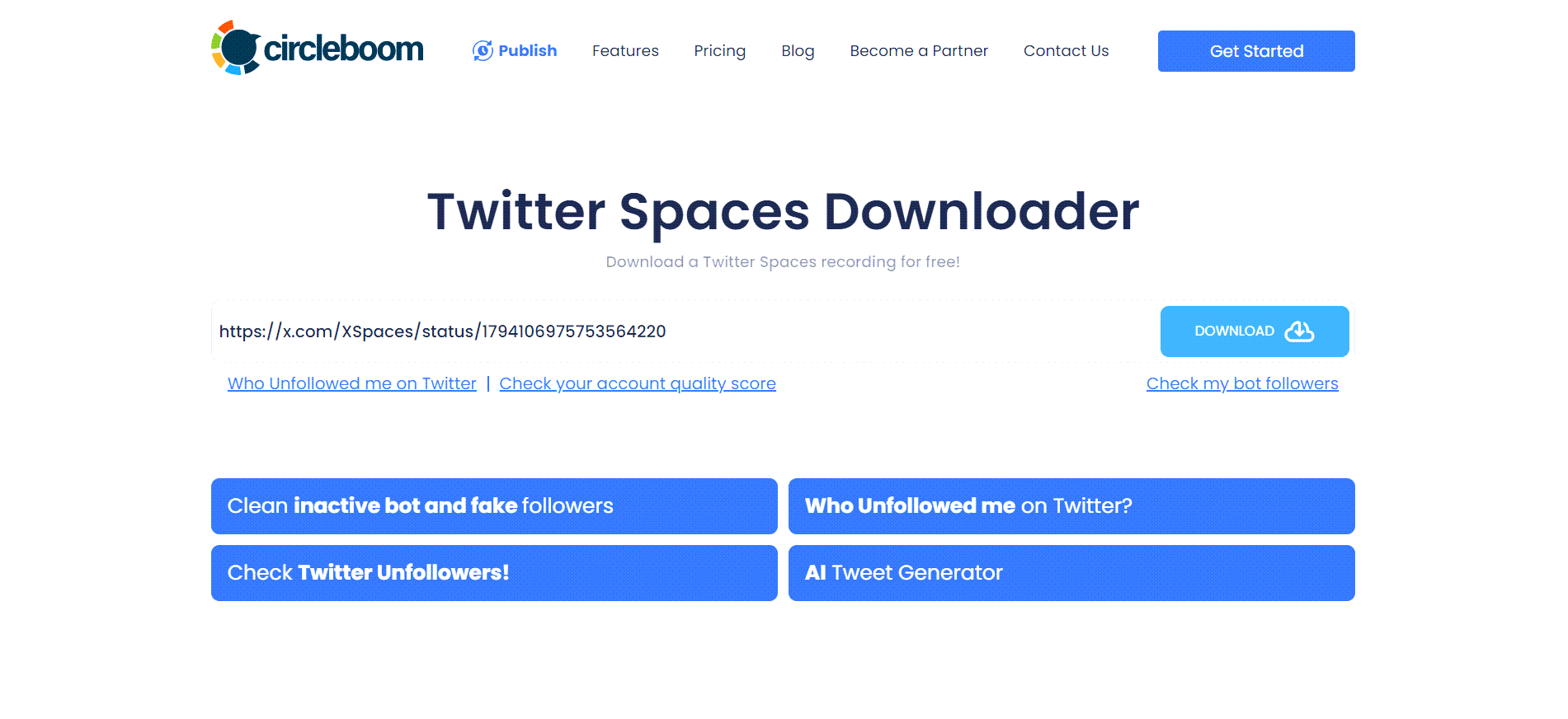
On Circleboom's Twitter Spaces Downloader page, you will see a text bar.
Paste the link of audio tweet here as it is shown on the image below! Then, you should click on the "Download" button!
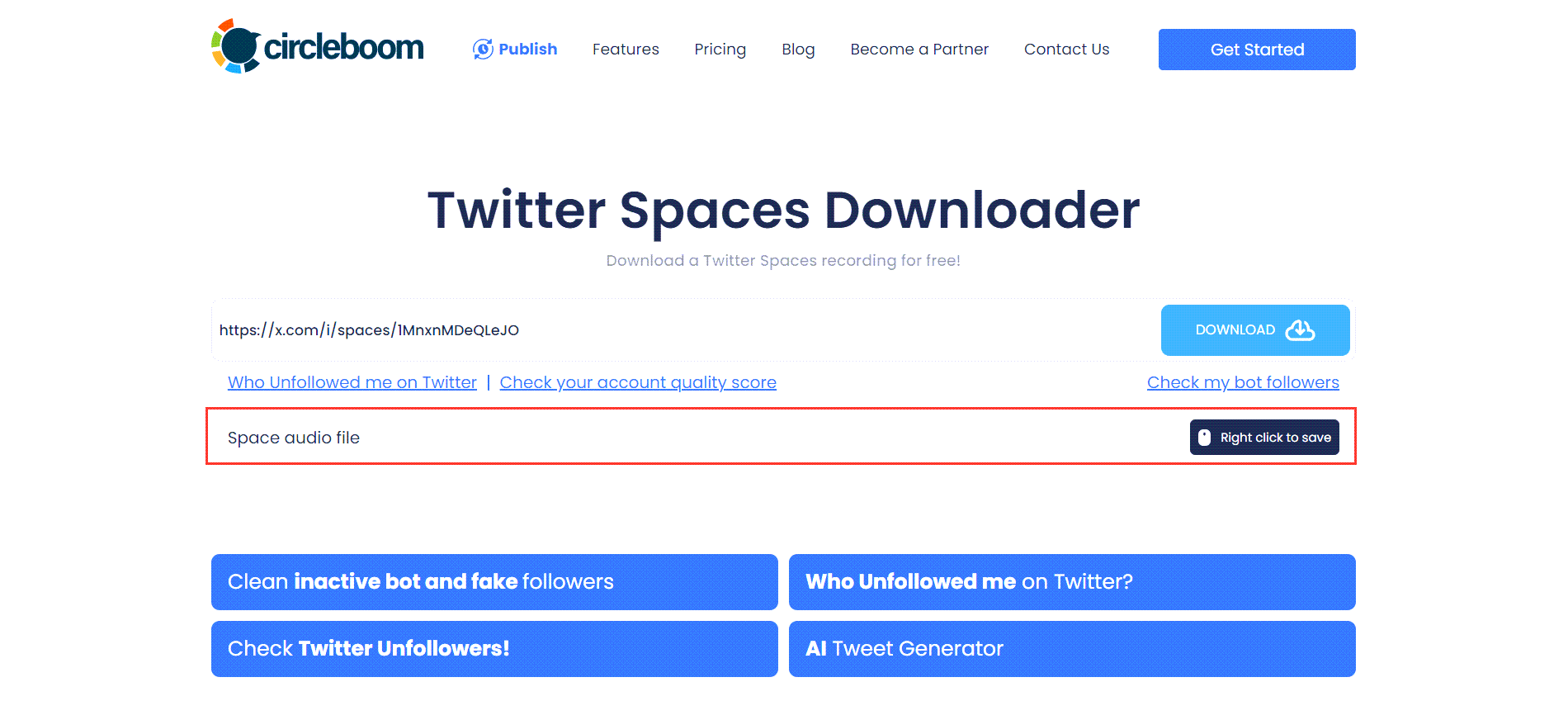
You will see download options below the text bar. If the Space has versions of multiple qualities, all will be listed here. In this example, there is only one option and I click on the "Right click to save" button next to it!
Frequently Asked Questions (FAQs)
Hands on Video
How to Download Twitter Spaces Recordings – Save and Revisit Conversations Easily!
[1] Everyone deserves to use good products. That's why we're committed to ensuring our platform remains cutting-edge and meets your needs through ongoing enhancements.